

For a 55-inch TV, a media console around 60–70 inches wide can be a useful visual starting point, provided the television’s actual support footprint, weight, and installation requirements are satisfied. Compare TV stands and media consoles using the TV’s actual width and stand depth rather than its diagonal screen size alone. A wider console can also work when your room needs more storage or a broader media-wall composition.
This width range is a styling suggestion, not a minimum structural requirement or a compatibility guarantee. A cabinet can look wide enough while its top is too shallow, its load rating is unsuitable, or part of its surface is not intended to support a television. Check these practical requirements before deciding how much space you want on either side of the screen.
Table of Contents
Translate the Diagonal Into a Useful Width Estimate
A television’s advertised size describes its screen diagonal, not its full outside width. For an ideal 55-inch screen with a 16:9 aspect ratio, the screen itself is approximately 47.9 inches wide. The television’s actual outside dimensions may differ because of its frame and design, so use the manufacturer’s finished dimensions when planning the final setup.
This distinction explains why choosing a console simply because it is labeled “55 inches” is not enough. The cabinet width and the TV’s diagonal describe different measurements. Even if the two numbers appear compatible, they do not establish whether the TV feet will fit securely on the intended supporting surface.
Before shopping, record the following measurements:
- TV width: Measure the full outside width of the television, including its frame.
- Stand footprint: Measure the assembled stand’s width and depth, including the distance between the feet where applicable.
- TV weight: Check the television’s weight in the configuration you plan to use.
- Placement requirements: Review the manufacturer’s instructions for support, ventilation, stability, and any restrictions on foot placement.
If your TV has adjustable feet, confirm which positions are permitted in its manual. Do not assume that a narrower setting is available or approved simply because it would fit a smaller cabinet.
Choose the Visual Width After Checking Support
Once you have confirmed that the TV can be supported properly, compare the console’s overall width with the television’s width to find the right visual balance. A wider cabinet can create a more generous frame around the screen, while a closer width match can produce a more compact look.
For a typical 55-inch TV with a 16:9 aspect ratio, the screen is approximately 47.9 inches wide. Using this screen width as a visual estimate, a centered setup on a 60-inch console leaves about 6.1 inches on each side, while a 70-inch console leaves about 11.1 inches. Wider consoles create a more spacious media-wall composition with additional visual presence.
Overall console width | Space on each side of a centered 55-inch TV screen (approx. 47.9 inches wide) | Visual effect |
60 inches | 6.1 inches | A relatively compact frame around the screen |
70 inches | 11.1 inches | A balanced frame with some visible surface space |
71 inches | 11.6 inches | A slightly wider frame with additional surface space |
79 inches | 15.6 inches | A broader media-wall composition |
100 inches | 26.1 inches | A wider arrangement with more visual and storage presence |
These figures are intended to illustrate visual proportions, not establish a safe TV-support area. The screen width is approximate, and the television’s actual outside width varies by model. Before installation, use the manufacturer’s dimensions to confirm the TV’s footprint, stand placement, cabinet depth, and load capacity.
Check Depth, Load, and the Actual Top
Console width is only one part of choosing a suitable TV stand. Depth, load capacity, and the usable supporting surface can be just as important.
Measure the TV stand from its frontmost to rearmost contact points, then compare that footprint with the cabinet’s actual usable top. Include the space required for the manufacturer’s approved placement and cable connections. A cabinet’s overall depth may include projecting details that do not provide a suitable supporting surface.
Next, verify the load allowance for the relevant top or section. A general storage capacity is not necessarily a TV-support rating. If the product specifications do not clearly establish whether the intended setup is supported, ask the seller for confirmation before installation.
Pay particular attention to multi-part and extendable consoles. Identify which sections are intended to carry the load and whether that approval applies to the extension setting you plan to use. Do not place TV feet across an unsupported gap or on a moving section unless the manufacturer explicitly permits that arrangement.
Finally, follow the television and furniture instructions for stability and anti-tip measures. A console that looks wide enough is not necessarily suitable for supporting the television.
Consider a Broad Console When the Room Needs Storage
A wide console can provide a useful combination of enclosed storage and a substantial visual anchor, especially in a living room with a broad wall or additional media equipment.
The Aura walnut fluted TV stand with a sintered stone top offers a broad cabinet format with enclosed storage and integrated cable management. Its walnut finish and fluted detailing can help create a defined media area without requiring extra decorative furniture.
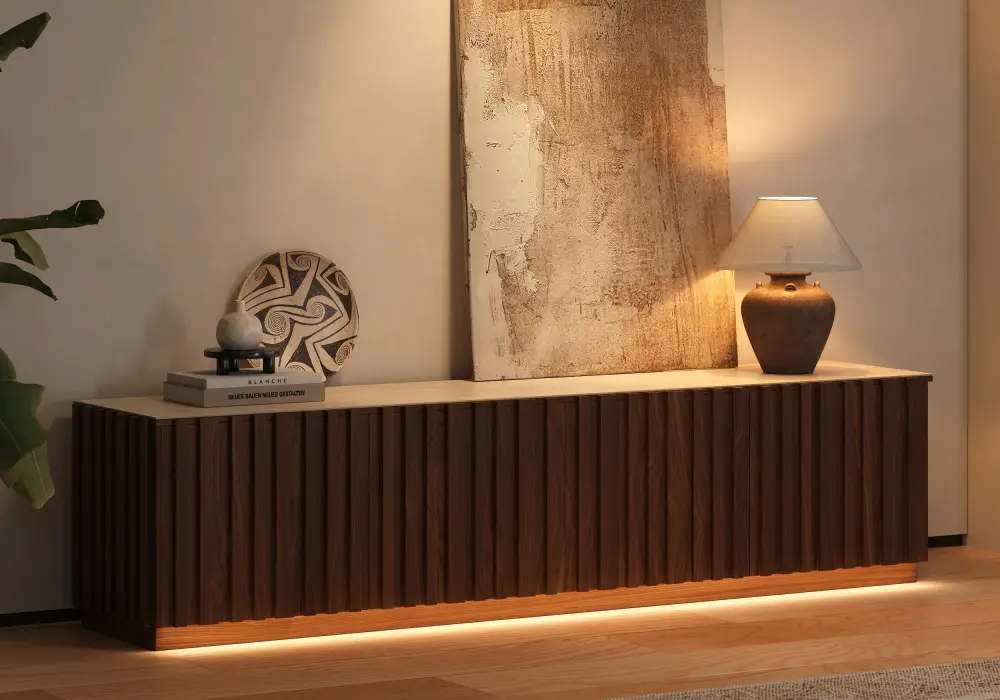
A broad console can work beneath a wall-mounted screen, too. In that case, the console primarily provides storage and visual balance, while the television’s wall support is assessed separately. You do not necessarily need a larger TV to make a long cabinet look intentional. Test the combination at room scale using painter’s tape or a simple elevation drawing before committing to the layout.
Use an Extendable Console to Fine-Tune the Visual Width
An extendable console is worth considering when you want to adjust the media area without committing to one fixed width.
The Quoint 71–100-inch extendable TV stand with three drawers and integrated LED lighting lets you adjust the cabinet’s overall width to suit your wall and storage needs. Its three drawers provide enclosed storage, while the integrated LED lighting adds an accent to the media area.
For the illustrative 49-inch-wide TV, the centered visual margin is approximately 11 inches per side when the console is set to 71 inches and 25.5 inches per side when extended to 100 inches. This gives you a way to compare a more compact arrangement with a wider media-wall look.
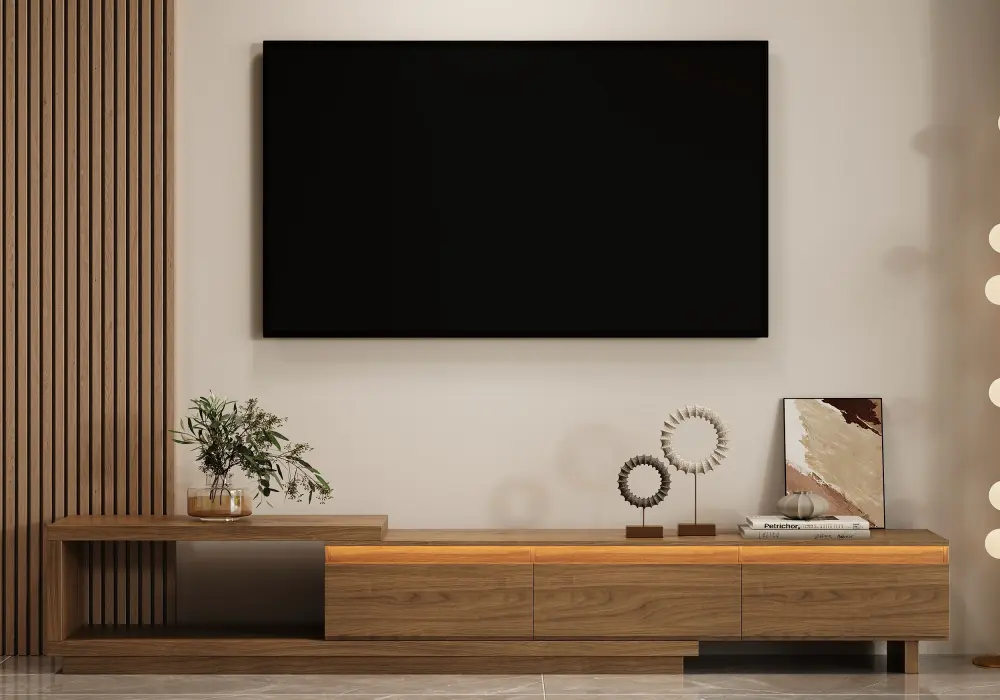
Treat these measurements as a visual comparison, not confirmation that the TV is supported at either setting. If the TV rests on the console, check that the selected configuration provides an approved supporting surface for both feet and satisfies the applicable load requirements.
If the television is wall-mounted, you can choose the console setting mainly according to the room’s proportions, storage needs, and preferred visual balance.
Add a Fireplace Console Only After Reviewing Its Instructions
A fireplace console can combine a TV area, storage, and an additional focal point, but it introduces installation considerations beyond those of an ordinary media cabinet.
The 79-inch travertine-veneer electric fireplace TV stand with storage is an example of a broad-format console with an integrated electric fireplace. Its listed footprint is approximately 79 inches wide by 18 inches deep.
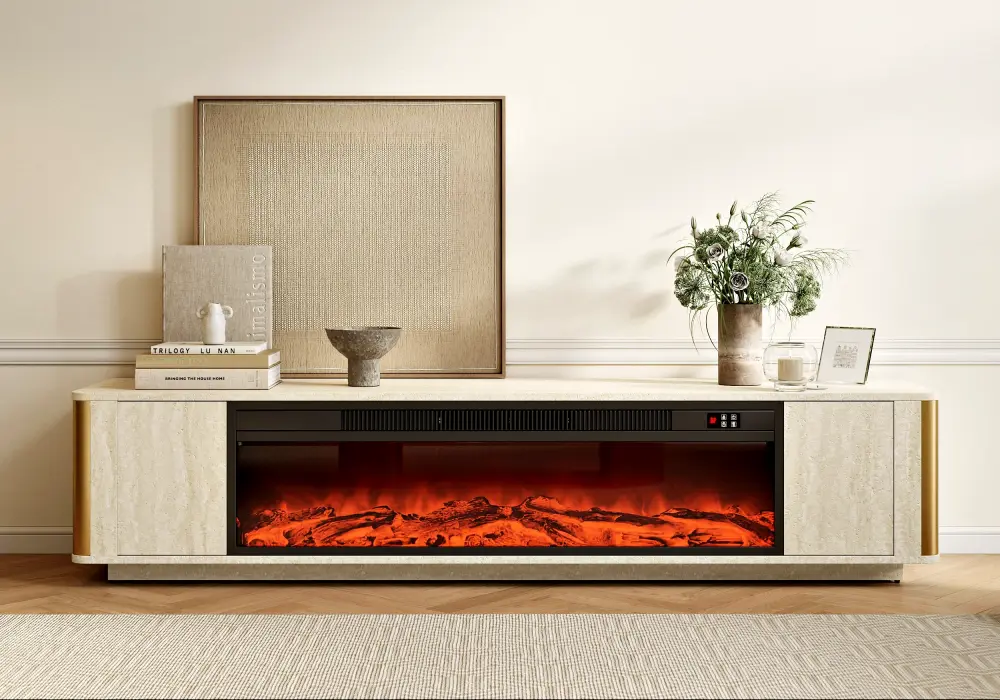
Before choosing this layout, review the fireplace and furniture instructions for permitted TV placement, ventilation, electrical access, and required clearances.
Set Height and Equipment Space From the Seating Position
The right console height depends on the television’s dimensions, the seating arrangement, and whether the screen sits on the furniture or mounts to the wall.
A useful starting point is to assess the screen from your normal seated viewing position. Consider where your eyes naturally fall, the height of the sofa, and the television’s assembled dimensions before deciding how high the screen should sit. Avoid relying on a universal console-height figure without considering the complete setup.
Equipment space matters, too. Check the dimensions of streaming devices, game consoles, soundbars, and other components, then allow for the ventilation and cable clearance specified by their manufacturers. A compartment that fits a device physically may still be unsuitable for operating it if airflow or access is restricted.
Plan an accessible cable route rather than trapping leads behind the cabinet. Consider whether drawers and doors can open fully without striking nearby furniture, and whether remote controls work from the equipment’s intended location.
Finally, measure the delivery route, including doorways, staircases, turns, and narrow passages. A console may fit the intended wall but still be difficult to bring into the home. Check package dimensions, component sizes, assembly requirements, and any help needed for installation before ordering a broad or extendable unit.
Frequently Asked Questions
Is a 55-inch console wide enough for a 55-inch TV?
The matching numbers do not establish compatibility because TV size refers to the screen’s diagonal, while console width is measured horizontally. Check the television’s actual outside width, foot placement, stand depth, and weight, then compare them with the cabinet’s usable top and load requirements. Follow both manufacturers’ installation and stability instructions before deciding whether the combination is suitable.
Can a 55-inch TV look right above an 80-inch console?
Yes. A broader console can create a balanced media-wall composition when its proportions suit the room and the surrounding furniture. Mock up the television and console together before choosing. Visual balance is separate from support compatibility, and a wall-mounted TV requires an appropriate wall-mount installation regardless of the cabinet below.
Do I need a console wider than the television?
A wider console is a common styling preference because it creates visible space around the screen and can provide additional storage. However, a wider cabinet is not automatically a safer or more compatible choice. For a TV resting on the furniture, check the usable top, foot placement, depth, load allowance, and manufacturer instructions before deciding how much visual margin you want.
What if the TV is wall-mounted?
The console does not carry the television’s weight when the TV is independently and correctly wall-mounted. You can therefore prioritize the cabinet’s overall proportions, storage capacity, and room layout. Check the wall mount separately, plan the cables and outlets, and follow the console’s own stability instructions. Fireplace and equipment ventilation requirements still apply where relevant.
What should I measure before shopping for a media console?
Record the television’s full outside width, stand footprint, and weight in the intended configuration. Measure the available wall and floor area, and account for equipment dimensions, cable access, walkways, and delivery constraints. For an extendable console, compare the closed and extended configurations. These measurements give you a more reliable shortlist than using the TV’s diagonal size or the console’s advertised width alone.