

To secure a TV to a TV stand, use the attachment method approved by the television manufacturer, place the screen on a console that supports its size and weight, and separately anchor the furniture to the wall when appropriate. The TV-to-stand connection and the stand-to-wall connection solve different problems; a stable-looking console alone does not make the screen or furniture tip-proof. Browse TV stands and media consoles with the television's dimensions, base type, and room layout in mind.
Table of Contents
Start with the TV manual and the stand's specifications
Before moving the screen, find the model-specific setup instructions. They identify the intended feet or pedestal, the correct fasteners, and whether the TV is designed for a tabletop base or a separate mount. Do not assume that a screw that fits a hole is the correct screw: length, diameter, thread, and engagement matter. Using an overly long fastener can damage the television; a short or mismatched one may not hold securely.
Check the media console's stated maximum load, usable top width and depth, and any center-support requirements. Compare these with the TV's weight without its original feet only if you are using a separately approved mounting method; for a tabletop setup, use the weight and footprint of the TV in its intended configuration. A screen that overhangs the furniture can be easier to bump and may place weight outside the support area. Measure the actual feet or pedestal: some wide-set feet need more surface than the screen's stand footprint suggests.
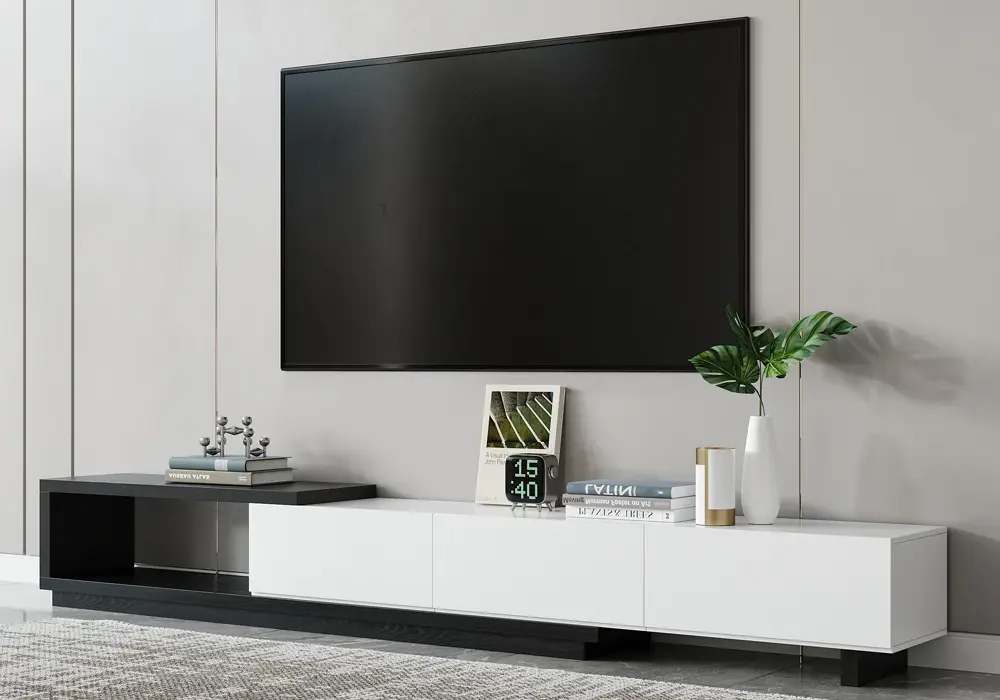
A stand with an adjustable width, such as the Quoint extendable TV stand (which adjusts from 71 to 100 inches), shows why the usable top surface matters: you can match the width to the screen and its feet rather than letting the TV overhang the edges. This is only an illustration and does not establish compatibility with a particular TV. Before buying any stand, compare its current specifications, including maximum load, top depth, and any center-support requirements, with your TV’s weight and the measured spread of its feet.
Attach the television to its base correctly
If your television uses feet or a pedestal, install the original base parts exactly as directed. Work on a soft, clean surface; have another adult support a large screen; keep pressure off the display; and do not lift by the panel or frame unless the manufacturer explicitly says to. Confirm that each foot is on the correct side and oriented properly, that all supplied screws are in the intended holes, and that the stand feels firm before raising the screen.
If the TV maker supplies a safety strap or tabletop anchoring kit, follow that kit's instructions for connecting the TV to the stand. If it does not, consult the TV maker for a compatible solution. Avoid improvised adhesive strips, generic zip ties, or drilling into the furniture top: these can fail, damage the finish, obstruct ventilation, or interfere with the TV's designed support. Do not attach hardware to an opening or panel unless the TV or furniture instructions identify it as a mounting point.
For TVs that use a tabletop base, center the base on a level, solid surface and confirm that every foot sits fully on the console. Push the screen back only as far as the design allows, leaving space for ventilation, ports, and cable bends. Keep the power and signal leads relaxed rather than stretched taut; a cable snag can tug the screen when someone moves a console or device.
Anchor the stand separately when the room calls for it
Securing a TV to its own feet does not secure the console to the building. The U.S. Consumer Product Safety Commission's Anchor It guidance recommends anchoring TVs and furniture to help prevent tip-overs, particularly in homes where children may climb or pull on furnishings. Use the restraint supplied with the product or a properly rated anti-tip kit, and follow its instructions. The correct wall fastener depends on wall construction; a screw placed only in drywall may not hold the intended load. If you are unsure where a stud or suitable masonry anchor is, use a qualified installer.
Do not use a wall restraint as a substitute for a proper base connection. Nor should a restraint be attached to a thin console back panel unless the product instructions approve that point. The wall strap, the TV attachment, and the furniture structure each need to work as designed. If renting, ask the property owner about allowed wall attachment methods and repair requirements before drilling.
Place heavier electronics in lower storage where possible, keep tempting items such as remotes away from high shelves, and route cords so they do not invite pulling. Close drawers and doors after setup. Do not let children climb or hang on the console, even if it has been anchored.
Check the complete setup after installation
Before turning the TV on, inspect the full arrangement. The console should sit flat without rocking. The top should not bow or tilt under the screen. The feet or pedestal should be fully seated and their fasteners snug, not overtightened. The restraint should have no obvious slack that defeats its purpose, while still following the specified installation. Nothing should press against the screen or block ventilation openings.
Check the setup again after moving the TV, changing the feet, replacing the stand, or adding equipment. Recheck fasteners and restraints after assembly or room rearrangement according to their instructions. If the console has an adjustable or extendable top, confirm it is locked or assembled in the selected position before placing the TV. Never extend or shift a loaded console unless its instructions permit it.
Common mistakes to avoid
Do not choose a stand based only on its advertised width. Confirm the TV weight limit, top depth, leg spacing, and assembly details. Do not put the screen on an uneven floor, soft rug that makes the furniture rock, or an unstable platform. Do not attach an anti-tip strap to an unapproved location or substitute decorative objects for a restraint. Keep liquids away from outlets and electronics, and avoid piling devices where their combined load is uncertain.
If a TV is unusually large, has a narrow pedestal, or will be in a household with young children, ask the manufacturer or a qualified installer for a compatible anti-tip plan. A professional can check the furniture, wall type, and specific TV attachment rather than guessing from a generic kit.
Frequently Asked Questions
Can I use a universal safety strap to attach my TV to a stand?
Only if the strap is designed for that TV and furniture arrangement and its instructions specify the attachment points. Check both manufacturers' guidance. A universal label does not mean every strap fits every TV, stand, or wall.
Should the TV be wider than the console?
Ideally, the entire base or feet should rest on a level surface within the console's rated top area. The screen itself may extend beyond the console in some manufacturer-approved setups, but measure the foot placement and stability rather than judging by the screen width alone.
Do I need to secure the TV and the TV stand to the wall?
These are separate connections. The TV needs its approved base or TV-to-furniture restraint; the console may also need an anti-tip restraint to the wall. Follow the TV, stand, and restraint instructions for your situation.
Can I drill a safety strap into the top of the TV stand?
Do not drill into the top unless the furniture maker identifies that location and method as approved. Use designated mounting points and compatible hardware to avoid weakening or damaging the console.
How often should I check the connection?
Check after initial assembly and after any move, adjustment, or change to the TV's base. Follow the manufacturer's maintenance guidance for routine checks, and stop using the setup if it rocks or a fastener or strap appears damaged.