

You can hide TV cords behind a TV stand in under an hour using removable tools, with no drilling at all. A tangle of black cables is the quickest way to spoil an otherwise tidy living room, and most advice assumes you own your walls. This guide is written for renters, small apartments and flats, and anyone who would rather not pick up a drill.
Here is the plan: map your setup, choose the right no-drill concealers, route the cables for your type of stand, place your power strip (also called an extension lead or surge protector) safely, and label everything so it stays easy to maintain. Basic supplies usually cost US$15-40 in total.
Whether you own a closed cabinet, an open shelf unit or a floating console, the steps are the same. Start by looking at what is actually behind your TV.
Table of Contents
Map Your Setup Before You Hide Anything
Ten minutes of planning saves you from buying the wrong product. Take a "before" photo of the back of your stand, then work through four steps.
- List every device and cable. Include the TV, streaming box, game console, soundbar, router and each power adapter.
- Measure the distances. Note the gap from the TV to the stand and from the stand to the nearest outlet, in inches and centimeters (for example, 24 in / 60 cm). Add 10-15% for slack.
- Sketch the route. A rough drawing of each cable from device to outlet shows where cables cross and where they can be bundled.
- Sort cables into two groups. Hide permanently: power cords, soundbar cables and fixed HDMI cables. Keep reachable: anything you swap often, such as a console's HDMI cable or a USB drive.
That last split matters. If you bury every cable behind adhesive channels, even small changes later become a chore. In apartments or older homes where outlets sit far from the TV, the sketch often shows that one well-routed bundle beats several short, visible runs. Next, choose the concealers that suit each group.
Use No-Drill Concealers: Sleeves, Clips, Channels and Baskets
Five inexpensive tools cover almost every setup, and none of them needs a drill. Costs are approximate and vary by country.
Type | Best for | What to look for | Approx. cost (US$) | Difficulty |
Zip-up cable sleeve | Bundling several parallel cables into one | Flexible fabric, zip closure, fits 3-5 cables | 15-Aug | Easy |
Velcro ties | Reusable bundling and slack control | Reusable, about 1-2 cm (0.5-0.75 in) wide | 10-May | Easy |
Adhesive cable channel | Runs along a back panel, skirting board or wall corner | Paintable, trimmable, self-adhesive | 20-Aug | Easy to medium |
Removable cable clips | Holding light cables along edges | Removable adhesive that leaves no residue | 12-May | Easy |
Ventilated basket or box | Power adapters, spare slack and the power strip | Vent slots, a lid, openings for cords | 25-Oct | Easy |
When to use each
A sleeve is the fastest way to turn three or four cables into a single tidy line. Velcro ties are better than plastic zip ties because you can add or remove a cable without cutting anything. Channels suit longer runs, while clips handle short, temporary stretches. A ventilated basket keeps bulky power adapters out of sight without trapping heat.
Getting adhesive products right
- Clean the surface with isopropyl alcohol and press firmly for 30 seconds. Dust and oils cause most failures.
- Warm the adhesive with a hairdryer before removing it, which softens the glue and reduces residue on rental walls.
- Match the channel color to the wall, skirting board or stand rather than defaulting to white. A matched color nearly disappears.
A good starter combo: one sleeve, a pack of clips, a few Velcro ties and one ventilated box. Buy more only after you see what your setup needs. Next, work out how those cables will actually travel behind your stand.
Route Cables Behind Different TV Stand Styles
The goal is the same for every stand: run cables straight down from the TV, bundle them, and keep the route invisible from the front. How you do it depends on the stand.
Closed cabinet with a cable hole: Bundle the cables in a sleeve, feed them through the hole, and tidy the slack inside. A stand built for this, such as the Panvyr 80" Ash Wood Walnut TV Stand, lists cable management holes and adjustable shelves for devices of different sizes.
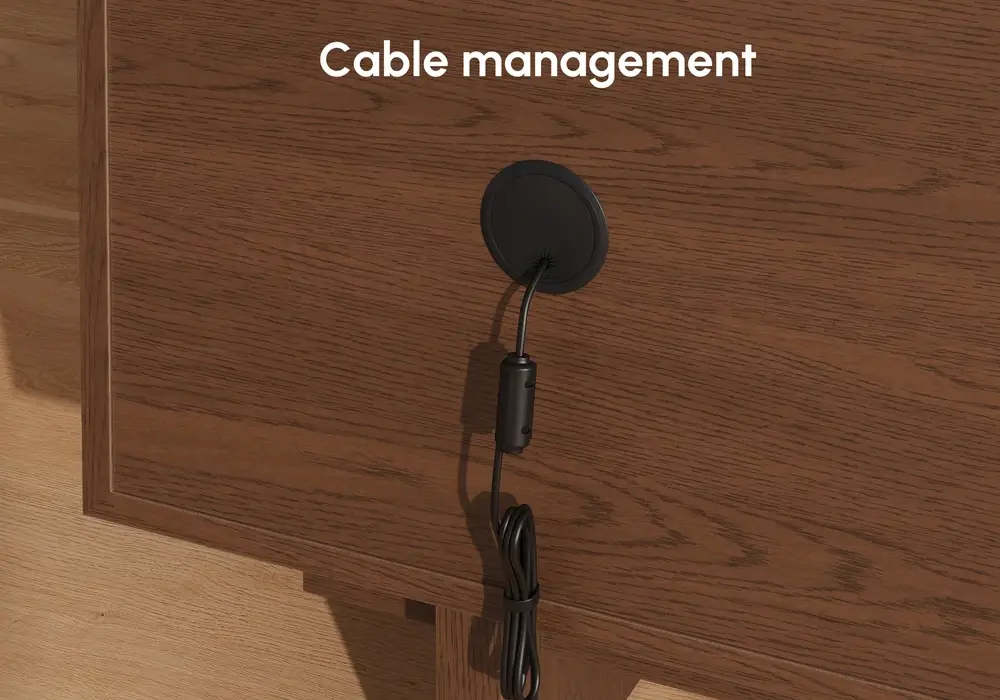
Closed cabinet with no hole: Do not drill. Run the bundle along the edge of the back panel or through the gap between the cabinet and the wall, held with clips.
Open shelf stand: Follow the underside of each shelf and the inside of the legs, where clips or a thin channel are hard to see.
Glass or metal frame stand: Clip or sleeve the cables along the frame, and avoid sharp edges that can rub through insulation.
Floating stand: Use a paintable channel on the wall beneath the unit, matched to the wall color.
If the outlet is in an awkward spot, keep power cables and HDMI cables on separate paths where you can, because it makes later changes easier. Leave a little slack so nothing is pulled tight, and run the longest stretch along edges instead of across open floor.
Once the cables are routed, the next job is the power source.
Place Power Strips and Devices Safely
Hiding cords must never come at the cost of safety. A power strip or surge protector can sit behind the stand, on the inside of a side panel, under an open shelf or in a ventilated box, as long as air can move around it.
Choosing the strip
Look for built-in surge protection, an on/off switch, and enough widely spaced outlets for bulky adapters. A flat or right-angle plug lets it sit close to the wall. Make sure it matches your country's plug type and voltage.
Never do these things:
- Cover the strip with blankets, or seal it in an airtight box.
- Plug one extension lead into another (daisy-chaining).
- Let the weight of the stand rest on a cord.
- Exceed the rated load printed on the strip, especially with consoles and soundbars sharing it.
Give devices room to breathe
Game consoles, routers, streaming boxes and soundbars all produce heat. Leave a few centimeters (about 2 in) of clear space around vents, and never stack items on top of a console. A router tucked into a closed drawer also loses signal strength, so keep it open and, if possible, higher up.
Protect children and pets
Use a lidded cable box for the strip and adapters, secure any slack with Velcro ties, and avoid hanging loops that a toddler can pull or a pet can chew. Where a cable must cross a walkway, use a flat floor cover rather than leaving it loose.
Check after a few days
Touch the strip and adapters once the setup has run for an hour or two. They should feel at most mildly warm. If anything is hot, move it into open air and consider a strip with a higher rating.
With everything safe and out of sight, the last step is making it easy to live with.
Label, Check Access and Run a Final Checklist
A hidden setup only stays tidy if you can still find things. Put a small label (a label maker, sticky tags or write-on cable ties all work) near each plug end, for example "Console HDMI," "Soundbar Power" or "Router Ethernet." When you swap a device or troubleshoot a dropped signal, you will know which cable to touch without pulling out the whole bundle.
Then run through this checklist:
- No cables are visible from the front or sides of the stand.
- No cable is pulled tight or bent sharply.
- The power strip has airflow and, if possible, sits off the floor.
- Adhesive pieces are firmly set and nothing sags.
- The ports you use most are easy to reach.
- Loose cables are out of reach of children and pets.
Finally, take an "after" photo and compare it with your "before" shot. You should see the cables running along the back of the stand in one neat bundle, the strip fixed in place, and every device still easy to pull out. Recheck the adhesive after a week, because that is when weak spots show.
Start Small and Build From There
You do not need a full set of accessories to hide TV cords behind a TV stand. Begin with a cable sleeve, removable clips, Velcro ties and one ventilated box, then add more only if you still see gaps. If you rent, choose removable, low-residue adhesive products and warm them before peeling.
Take one photo of the front and one of the back of your setup, then use the checklist above to see what to fix first. If you are shopping for a new stand, the feature checklist in the routing section will help you choose one that makes cable hiding easier.
FAQ
What is the easiest way to hide TV cords behind a TV stand without drilling?
Bundle the cables in a zip-up sleeve, run them down the back of the stand, and hold them with removable clips. Add a ventilated box for the power strip and adapters.
How can I hide cords if my TV stand has no cable holes?
Route the bundle along the edge of the back panel or through the gap behind the unit. Use clips instead of drilling, and leave a little slack so nothing is pulled tight.
Where should I put a power strip or surge protector behind a TV stand?
Place it on the back or side panel, or in a ventilated, lidded box. Keep it uncovered, off damp floors and never plugged into another extension lead.
Are adhesive clips and cord covers safe for rental walls?
Usually yes, if you choose removable products, clean the surface first and warm the adhesive with a hairdryer before peeling. Test a small hidden spot on painted or delicate walls.
How do I keep cords hidden but still swap HDMI devices easily?
Hide fixed cables permanently, but leave the cable for frequently swapped devices in an easy-to-reach spot with a Velcro tie and a clear label.
How do I keep cords safe from children and pets, and avoid overheating?
Use a lidded box with ventilation, secure slack with ties, and leave a few centimeters (about 2 in) of space around consoles, routers and strips so heat can escape.